
Touchscreen Driving Gloves: Manufacturing Options for Brands

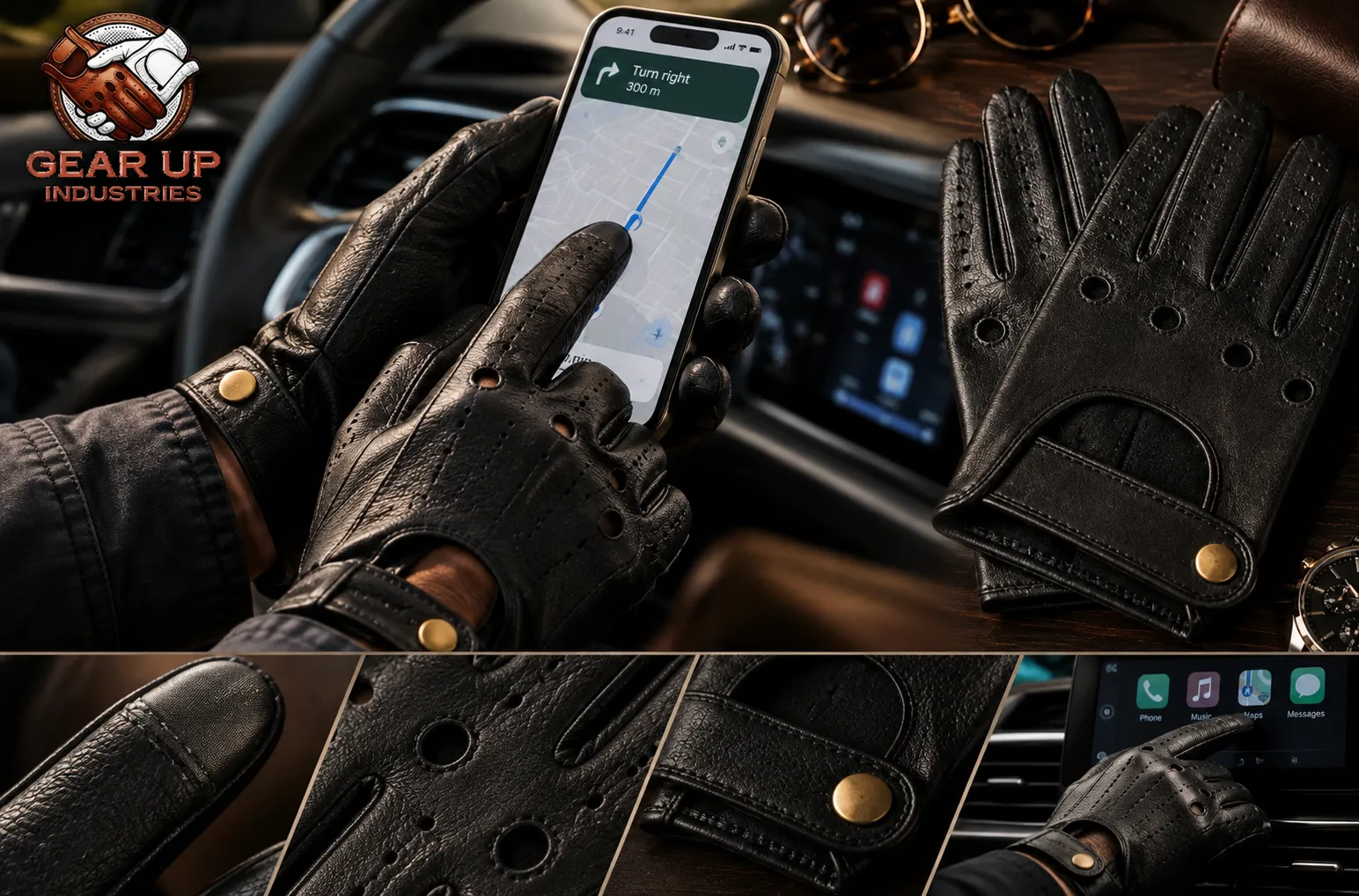
Customers who wear driving gloves rarely want to take them off every time they unlock a phone, set a route, pay for parking, or start a charging session. Many car infotainment screens, EV chargers, and smartwatches use the same capacitive touch technology as phones, so the expectation now reaches well beyond texting. That has turned touchscreen function from a novelty into a feature many buyers look for, especially in winter driving gloves for the northern US, Canada, the UK, and Germany, where gloves stay on for longer stretches.
For brands, adding it is a manufacturing decision, not just a product label. This guide explains how touchscreen driving gloves work, the main ways factories make leather gloves phone-friendly, the construction details that decide whether the feature actually performs, and how to test and describe it before launch.
Why Brands Add Touchscreen Function to Driving Gloves
Smartphone gloves have moved from outdoor and sports categories into everyday leather accessories. For a driving glove line, touchscreen fingertips can help a full-finger style compete with fingerless gloves, add value to a gift or corporate program, and give retailers a clear feature to explain at the shelf or on a product page.
Touchscreen fingertips also work well as a step-up feature. A brand can offer the same pattern in a standard version and a touchscreen version, giving retailers two price points without developing a new glove. Buyers sourcing leather gloves for corporate gifting in North America and Europe often ask for it for exactly that reason.
Position It for Before and After the Drive
Market touchscreen driving gloves for setting navigation before departure, handling payments, or using the phone once parked, not for use while driving. Rules on handheld phone use are strict in many places, including the UK, Australia, the UAE, and many US states. Product photography and copy should never show a driver using a phone at the wheel.
How Touchscreen Gloves Work on a Capacitive Screen
Most smartphones use a capacitive screen, which registers a touch when a conductive object, normally a bare finger, changes the small electrical field at the surface. Ordinary leather does not conduct well enough to do this. Touchscreen leather gloves solve the problem by creating a conductive path from the skin, through the glove, to the screen. Each manufacturing method below is a different way of building that path.
Manufacturing Options for Touchscreen Leather Gloves
Conductive Leather
Some leathers are treated during tanning or finishing so that the fingertip, or a larger area of the glove, can operate a capacitive screen. The main advantage is appearance: nothing on the finger looks different, which suits classic and minimalist driving gloves.
The limitations are that color, finish, and thickness options may be narrower than with untreated leather, and performance must be checked on the finished glove, not just on a swatch. Ask the supplier whether the treatment covers the whole skin or only the panels cut for the fingertips, since that affects both cost and how freely panels can be cut.
Conductive Thread
Conductive thread can be stitched or embroidered into the fingertip, usually on the thumb and index finger. Because the stitches pass through the leather, they carry the signal from the skin to the screen. The stitching can be a discreet line or a small decorative motif in matching or contrast thread, which makes it a flexible option for branded designs.
Metal Content and Needle Detection
Some conductive threads contain metal fibers. If a retailer’s quality control uses metal or needle detection, confirm the thread type with both the factory and the buyer during development, before the design is approved.
Why Knit-Glove Methods Don’t Transfer Directly
Many touchscreen work and winter gloves are knitted, with conductive yarn blended into the fingertips or metal-content fibers worked into the knit. Those methods suit textile gloves, not leather. A leather driving glove relies on treated leather, conductive thread, or a sewn-in fingertip panel instead, so a factory’s experience with knitted touchscreen gloves does not automatically carry over. Ask to see leather touchscreen samples specifically.
Conductive Fingertip Patches
Conductive fingertip gloves can also be made by sewing a separate conductive panel into the fingertip. Patches typically give a larger, more reliable contact area, but they are visible and can be hard to match to seasonal leather colors. They suit sportier styles better than heritage designs. Agree on the patch shape, size, and color on the technical drawing before sampling.
Fingerless Styles as a Phone-Friendly Alternative
Fingerless leather driving gloves leave the fingertips bare, so they need no conductive treatment at all. In warm markets such as the UAE and much of Australia, a fingerless style may meet the same customer need more simply than a touchscreen full-finger glove. Our guide to fingerless vs full-finger driving gloves compares the two in more detail.
Comparing the Methods
| Method | Appearance | Main consideration | Often suits |
| Conductive leather | No visible change | Color and finish limits; test the finished glove | Classic and minimalist styles |
| Conductive thread | Discreet stitch or motif | Thread type and metal detection | Branded and design-led styles |
| Fingertip patch | Visible panel | Color matching | Sporty and casual styles |
| Fingerless design | Open fingertips | Less coverage | Warm-weather ranges |
Combining Touchscreen With Other Features
Touchscreen fingertips can sit alongside most driving glove details, including perforated backs, knuckle openings, snap closures, and embossed logos. The main conflicts come from anything that changes the fingertip itself, such as a different leather panel, a thick lining, or decorative stitching across the tip. Plan these details together on the technical drawing rather than adding touchscreen as a late change.
Construction Factors That Decide Whether It Works
The Lining
A lining sits between the finger and the conductive material. The thicker or more insulating it is, the harder it becomes to keep a reliable conductive path. Unlined driving gloves have a natural advantage here, which is one reason touchscreen fingertips pair well with classic thin leather styles.
Lined winter styles sold in Canada, the UK, and the northern US need a construction that still connects the skin to the conductive area. Lined touchscreen leather gloves are common in winter fashion ranges, so it can be done, but it must be confirmed on the finished sample. Our guide to lined vs unlined driving gloves covers the broader trade-offs.
Leather Thickness and Fingertip Fit
Thin, close-fitting leather keeps the fingertip in firm contact with the screen. Empty space at the end of the finger is a common reason a touchscreen glove feels unreliable, even when the conductive material itself works well. Our article on leather thickness for driving gloves explains how thickness affects feel.
Touch Screen Leather Gloves for Men and Women
Men’s and women’s patterns differ in finger length and width, so the conductive area needs to land in the right place on every size, not just the sample size. Check the fingertip position across the full size run using a consistent leather glove sizing chart for wholesale buyers. Women’s touchscreen leather gloves, with narrower fingers, can be more sensitive to small shifts in placement.
Which Fingers to Make Conductive
Thumb and index finger on both hands cover most everyday use, including two-thumb typing. Adding more fingers adds cost and complexity without much benefit for a driving glove. Whatever you choose, mark the exact conductive area on the technical drawing.
Placing the Touch Area Around Seams
A seam running across the very tip of the finger can interrupt contact. Ask the factory how the fingertip is constructed and where the conductive zone sits relative to the seams.
Testing Touchscreen Driving Gloves Before Bulk
Test the Finished Glove
Material swatches can perform well and still fail once the glove is assembled, lined, and sized. Test the complete sample in the hand, not just the conductive component.
Device and Screen Protector Range
Responsiveness can vary between phones, and screen protectors can reduce it further. Test on several common phone models, with and without protectors, covering tapping, swiping, scrolling, and typing.
Wear and Sweat Testing
Treatments and threads can behave differently after repeated wear, flexing, and exposure to sweat and hand oils. Wear the samples for a period of real use before approving, especially for gloves headed to warm, humid markets.
Recording Results Against the Approved Sample
Note which devices and actions were tested and how the glove performed, then keep those notes with the approved sample. Production pairs can then be spot-checked the same way, as part of your quality control checklist for bulk glove orders.
Allow for an Extra Sample Round
Touchscreen function adds a variable to development. If the first sample responds poorly, the fix may involve the thread, the fingertip pattern, or the lining, so build time for at least one revision into your launch plan.
Describing the Feature Accurately
Terms like “texting gloves” and “phone-friendly gloves” help customers find the product, but claims should stay realistic. Avoid “works with all devices” or “permanent touchscreen function” unless testing supports them. Say which fingers are conductive, mention that screen protectors and device differences can affect response, and include simple care advice, since heavy conditioners may affect some treatments.
For marketplace sellers in the US, Canada, and Australia, a clear photo or short video showing where the touch area sits answers the most common pre-purchase question. It can also reduce returns from customers who expected every finger to work.
Working With Gear Up Industries/span>
Gear Up Industries is a leather gloves manufacturer in Sialkot producing full-finger leather driving gloves, fingerless styles, and crochet-back styles for private label and OEM buyers. Customization covers logo branding, colors, sizes, and packaging, with sampling before bulk orders and MOQs starting from 100 pairs. If you want touchscreen fingertips, include the preferred method, the conductive fingers, and the lining in your brief, and confirm the available options during sampling.
Frequently Asked Questions
Do touchscreen gloves work with every phone?
They work with most capacitive screens, but responsiveness varies by device and screen protector. That is why testing on several phones matters.
Will the touchscreen function wear off?
It can weaken over time, depending on the method, the leather, and how the gloves are used and cared for. Wear testing during sampling gives a realistic picture.
Do touchscreen gloves work with fingerprint sensors?
Generally not. Fingerprint sensors read the skin itself, so customers will still need a PIN, pattern, or face unlock while wearing gloves.
Can existing gloves be made touchscreen-compatible after production?
Adhesive conductive fingertips are sold for retrofitting, but they can peel and look unfinished. For a branded product, building the feature in during production is more reliable.
Can I keep my logo on a touchscreen glove?
Yes. Logos usually sit on the back of the hand or the cuff, away from the conductive fingertips, so the two rarely conflict.
Final Thoughts
Touchscreen driving gloves are now a practical expectation for many customers, but the feature only works when the method, lining, fit, and fingertip construction are planned together. Choose the approach that suits your design and price point, test the finished glove on real devices, and describe the feature honestly. When you are ready to develop touchscreen leather driving gloves for your brand, request samples or a quote.